Keep the resources that still belong to the application
A custom admin and Capell can coexist. Define the pilot boundary around repeated public-page work while domain records, policies, and purposeful application workflows remain where they already work.
Built on Filament Keep your resources Stop rebuilding the basics
Keep the business logic you need
Move repeated page publishing into Capell without rebuilding useful application resources.
Your existing Filament admin may already do the business work well. A migration should improve repeated page editing, preview and recovery while retaining the rules and screens that are specific to your application. Map those responsibilities before changing the data model.
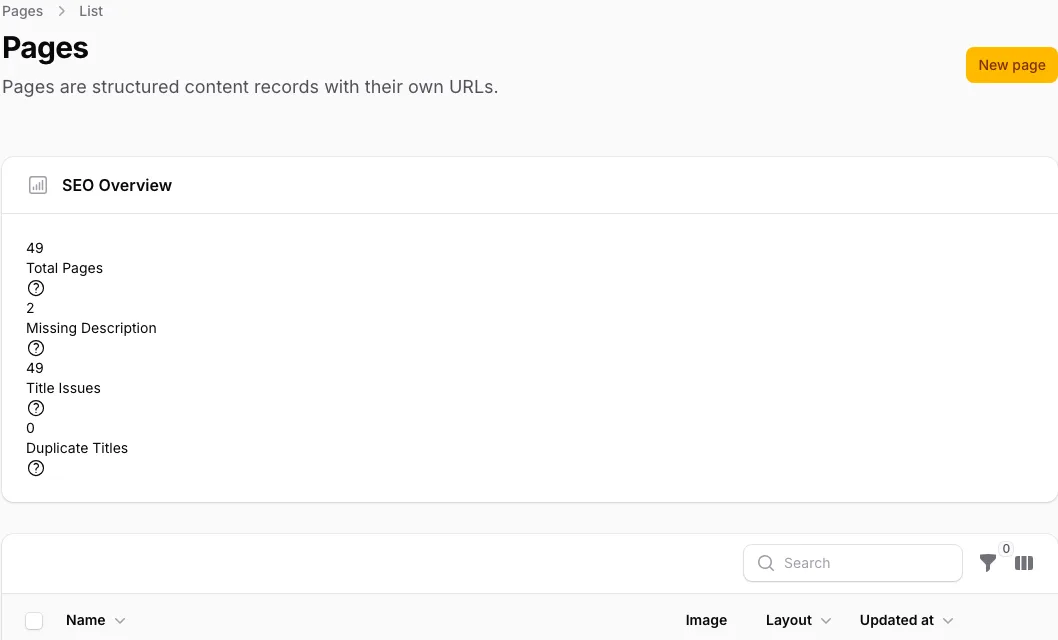
What normally transfers
Eloquent records, media, policies, tests, deployment, and useful Filament resources can often stay in the application. The resources and model logic owner identifies domain screens that remain purposeful and records page-specific logic that needs a new home.
What needs mapping or rebuilding
Repeated page schemas, layouts, URL handling, previews, metadata, history, media reuse, and publishing behaviour need a target in Capell or an optional package. The route owner maps slugs, bindings, middleware, canonicals, redirects, and cache invalidation.
What may not transfer cleanly
Undocumented observers, custom actions, global scopes, policy shortcuts, bespoke panel pages, and implicit editor habits may resist direct mapping. The custom action owner records validation, side effects, jobs, notifications, and authorisation; the editor expectation owner decides what the replacement task must preserve.
Verify URLs and search metadata
Inventory titles, descriptions, canonicals, language paths, media references, routes, redirects, sitemaps, and cache keys. The public-output owner checks anonymous HTML contains no editor metadata and verifies a representative URL sample before migration, during the pilot, and after cutover.
Run a representative pilot
Choose one routine page and one difficult page family with custom model logic, actions, routes, reused media, and editor expectations. Keep existing domain resources alongside it. Verify the editor task, public response, policies, redirects, metadata, events, jobs, tests, and rollback.
Plan cutover and rollback
The cutover owner assigns one source of truth for every record and URL, freezes writes where needed, switches a bounded route group, monitors errors and redirects, and keeps the old resource or route recoverable until acceptance passes.
Expand only when the pilot proves the shared page model removes recurring maintenance. If the current screens remain few, stable, and application-specific, keep the custom Filament admin.
Separate pages from business records
Move the publishing concern, not every model in the application.
Identify which resources exist mainly to publish public pages and which manage operational data. Record the fields, validation, permissions and actions each owns. A custom booking or customer resource may remain exactly where it is while its related editorial pages move into Capell.
Map the page family into clear fields and a shared layout. Keep business operations in application code and decide how the public page links to them. Do not assume a CMS page save should reproduce every custom resource action.
Protect existing behaviour
Use representative records and editors to prove the mapping.
Trial records with optional fields, unusual media and important URLs. Compare the original public response with the destination and check that permissions still match the intended roles. Editors should complete a real update, preview and recovery exercise.
Retain the old mapping and rollback path until acceptance passes. Moving records without their URL and application relationships can produce a neat CMS list and a broken website. Reconcile both data and visitor actions.
Map the ownership boundary in the current code
Cover resources and model logic, routes, custom actions, editor expectations, public output, and cutover. A small team can combine these responsibilities, but each decision still needs an owner who decides what stays, moves, or needs an adapter.
2 keep 4 replaced by Capell 2 to decide
In your Filament admin Filament resources for domain data With Capell installed Kept, running alongside Capell Keep
Useful existing Filament resources can remain; Capell adds the CMS layer alongside them, in the same panel and the same codebase.
In your Filament admin Hand-built page schemas With Capell installed Page types and layout composition Capell replaces
Page types, layout composition, and widgets replace the page schemas you would otherwise maintain across every client or product site.
In your Filament admin Draft and publish plumbing With Capell installed CMS publishing workflow Capell replaces
Capell adds the shared CMS model, the place editors work, drafts, preview, page history, and a checked restore. The licensed Publishing Studio adds assignments, comments, approvals, scheduling, and coordinated releases when those controls are needed.
In your Filament admin Redirect, cache, and SEO helpers With Capell installed Maintained CMS operations Capell replaces
Redirects, cache, SEO, diagnostics, and editor workflow arrive as maintained CMS concerns instead of per-project plumbing.
In your Filament admin Public page rendering With Capell installed A tested public output path Capell replaces
Public rendering is proven by tests, so anonymous visitors never see admin internals.
In your Filament admin Blade templates for content pages With Capell installed Theme views, widgets, or custom views You decide
Some templates become theme assets and widgets editors can compose; genuinely bespoke screens stay as the custom Laravel views they already are.
In your Filament admin One-off CMS helpers With Capell installed Retired, or promoted to packages You decide
Sitemap generators, feed builders, and search glue you wrote by hand either retire in favour of the CMS versions or become packages the next project inherits.
In your Filament admin Auth, policies, tests, deployment With Capell installed Unchanged Keep
Capell installs into the application you already run. Authentication, authorisation, the test suite, and the deploy pipeline stay exactly where they are.
Prove the shared page model justifies the change
Use the comparison to challenge the boundary. Follow other source guides only when the application genuinely includes those systems.
Role scenarios
What to inspect before migrating
Checks for mapping, redirects, media, integrations, cutover, recovery, and ownership.
Role-based checks drawn from product capabilities and fit boundaries.
Check import rollback after editing a record
Dry-run an import, inspect its field map, then edit one imported record before testing rollback. The process should skip bad items, preserve redirects and refuse to erase the later edit.
Read more Show less
Check that old permalinks redirect to their intended new destinations after import. Re-import the same source and confirm that corrections already made to migrated pages are preserved.
When to look elsewhere: A tiny, tidy source can still be faster to re-key by hand than to map. Site owners would only lean on this when there is real structure worth carrying across, and site owners would still keep a developer close.

Migrations: a Laravel technical lead acceptance check
Preview an import, inspect field mappings, dry-run it and edit one migrated record before rollback. The rollback must preserve the later human edit and report any source structure needing custom handling.
Read more Show less
A credible evaluation should confirm: That last detail separates a move developers trust from one developers cross their fingers over: an undo will not wipe the cleanup the delivery team already did on top. Developers see what maps across before committing, so the client gets a plan instead of a leap.
When to look elsewhere: Genuinely bespoke or badly structured sources still need custom handling. This shines when there is real structure worth carrying over; a thin, messy source can be quicker to rebuild by hand.

Import is the start, not the finish — what to verify
Import several pages as drafts, including one with awkward formatting and media placement. Nothing should publish automatically, and the result should produce a clear editorial cleanup queue.
Read more Show less
Operational evidence to check: Because pages land as drafts rather than going straight live, nothing rough surfaces to a visitor before editors have been through it. Editors get to read and fix the imported content on their own time instead of firefighting it in public.
Decision note: A big, messy source just means more tidying, and no tool removes that editorial pass. The mapping moves the content; making it read well once it lands is still their work.
Questions
Questions to answer in the current Filament codebase
Do we have to replace every custom resource?
No. Keep business resources that already work and move repeated CMS concerns such as pages, layouts, publishing, redirects, and public rendering into Capell. Tour Capell
Can our existing frontend stay?
Yes. Capell supplies hydrated content to the Laravel frontend; it does not require a hosted renderer or delivery API. View themes
What happens to custom panels and actions?
Keep domain logic in the application or package it through Capell extension points. Admin-only metadata must stay out of public output. See owner fit
Which page family should the Filament pilot start with?
Choose one representative page type, map its fields and URL, then verify drafts, preview, publication, Page History, and restore validation. If the licensed Publishing Studio is in scope, also test assignments, comments, approvals, scheduling, and coordinated releases. Explore features