Capell home
Live demo

Keep publishing predictable

Make everyday updates straightforward and give the team a clear route back when a change goes wrong.

The real test of a CMS comes after launch: someone needs to correct an offer, approve a campaign or recover yesterday's page. Capell separates those editorial jobs from application maintenance, so routine content changes can follow their own publishing checks.

Foundation suits a team that needs to see and recover Page changes. Add Publishing Studio when reviewers, timed launches or several pages going live together are part of the job. This can replace informal approval messages and manual launch coordination for those pages. It still needs an agreed publishing policy and an application maintainer; CMS recovery does not provide your server backups or replace a release process.

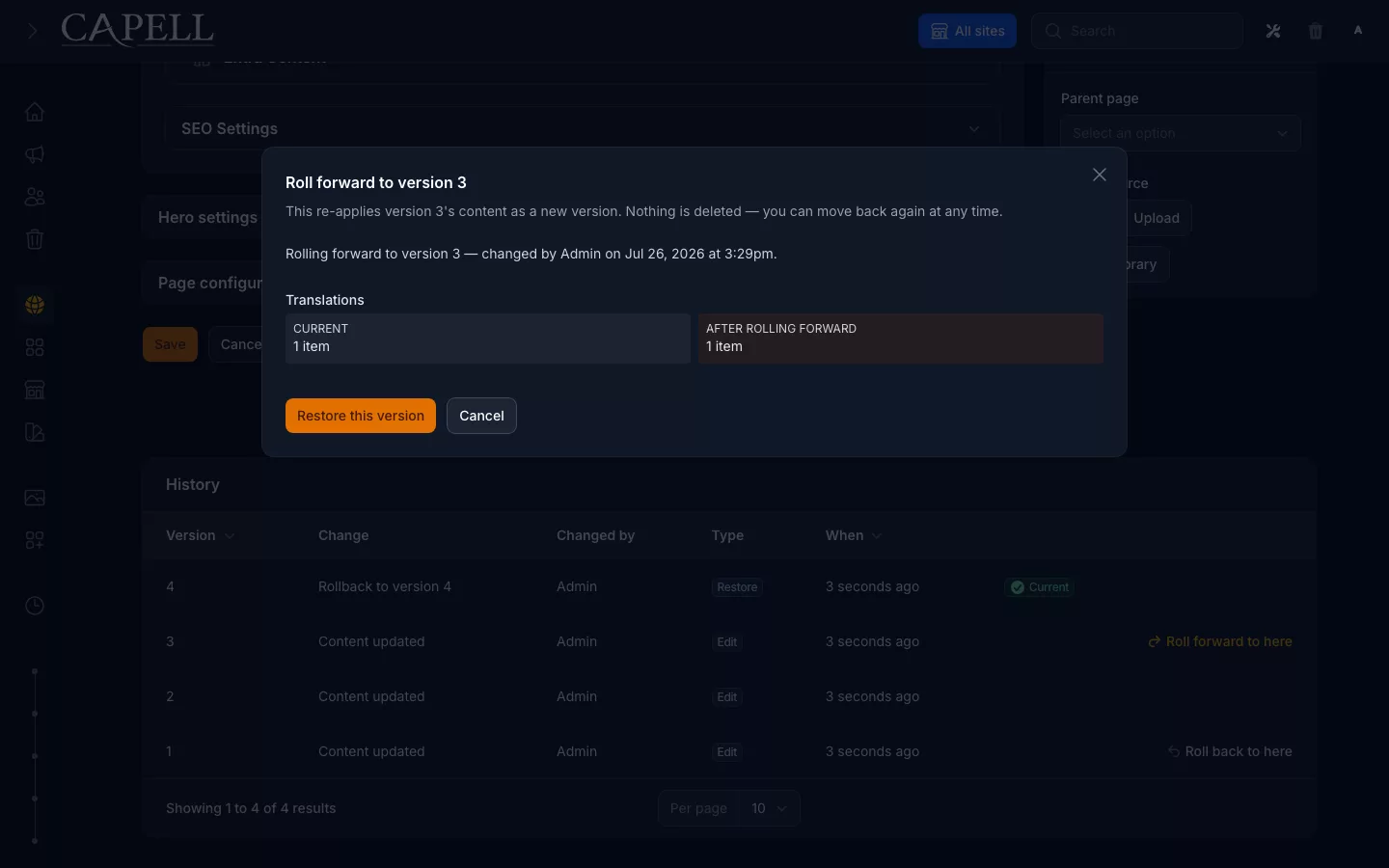
Capell Page history and recovery screen
Page history keeps earlier saved states available when a publishing decision needs to be revisited.

Make publishing dependable

Check the change people will see before it reaches the public site.

Editors need to know which page they are changing, what the preview represents and when the change becomes public. Foundation provides Page history, comparison and validated recovery. Publishing Studio adds a more formal process when changes need assigned reviewers, approval or coordinated publication.

Choose the process around your team, rather than requiring the same ceremony for a typo and a major launch. Agree who can publish, who reviews sensitive pages and what happens when the usual reviewer is away. Check the anonymous public URL after publishing; a successful editor action is only one part of the outcome.

Recover the right change

Distinguish an editorial mistake from an application problem.

A wrong paragraph calls for content recovery; broken validation or an incompatible package calls for an application fix or release rollback. Treating both as a server incident makes small problems slower to resolve and can restore unrelated work unnecessarily.

Give the handover a practical recovery exercise. Compare two Page versions, preview the difference and restore the intended content. Separately document who owns dependencies, configuration, backups and deployments. CMS history does not replace infrastructure backups or testing the application release.

The operations section is organised by the incident or release decision, not by a catalogue of platform controls.

Next step

Agree who maintains the site

Page history, comparison and validated recovery are part of Capell Foundation. Publishing Studio adds assigned review, approvals and coordinated or scheduled publication for Capell Pages. Agree who owns each editorial job and who maintains the Laravel application before handover.

Role scenarios

What to inspect in the setup path

Checks for prerequisites, package selection, setup recovery, and a verifiable finish.

Role-based checks drawn from product capabilities and fit boundaries.

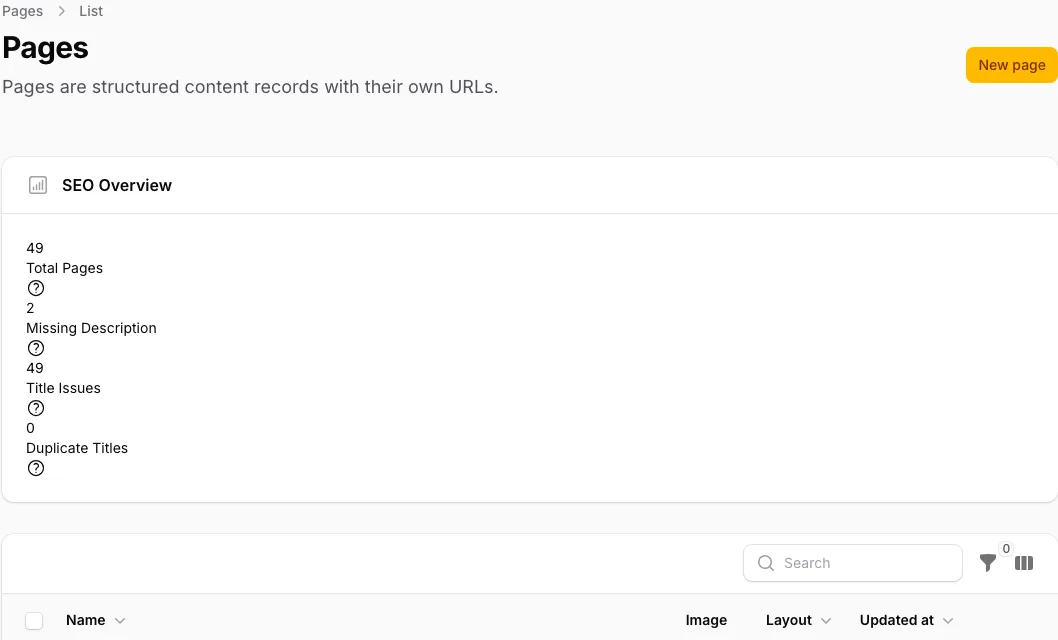
Actual Capell Pages index for the site ownership workflow described.

Check the completed installation

Choose packages in the web installer and inspect the resulting project. Composer dependencies and the Filament provider should be updated as source code, with the installer remaining available until a real site and admin exist.

Read more

It will not declare success on a half-built app: it self-deletes only after an admin exists and a real site is created, and otherwise stays put for a retry. This verifies a working baseline without relying on a wiki checklist.

Boundary of fit: It is not a no-code wizard, so budget for a Laravel developer to install and maintain it. A hosted website builder suits a buyer who wants to avoid developers entirely.


Run this yourself in the demo

Site Owner

Evaluator scenario for a site owner

Loading footer