Capell home
Live demo

Grow without rebuilding

Add the capabilities your site needs as the requirements become clearer.

You should not have to buy into every possible feature before publishing your first useful page. Capell starts with a Laravel CMS foundation and grows through Composer packages. Your team can choose and maintain additional capabilities, with each package's role visible in the application.

This suits a team already maintaining Laravel dependencies that wants to replace repeated CMS feature builds with a documented package. Begin with Foundation, add Publishing Studio for team publishing, then assess individual capabilities against a real need. Check current availability as well as the feature description: an available package, a beta and a planned feature imply different delivery commitments. A catalogue entry does not establish that its integration is ready for your application.

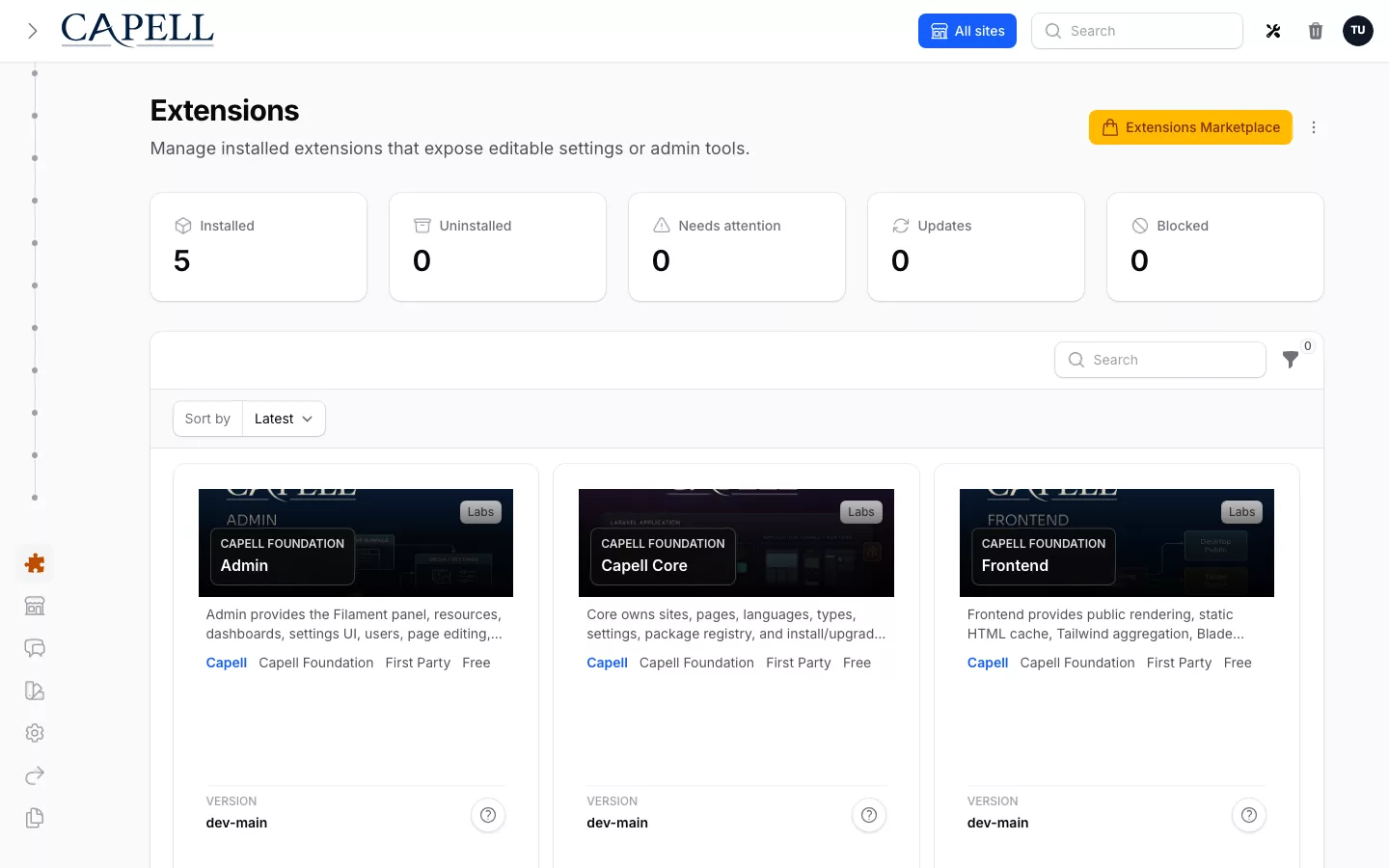
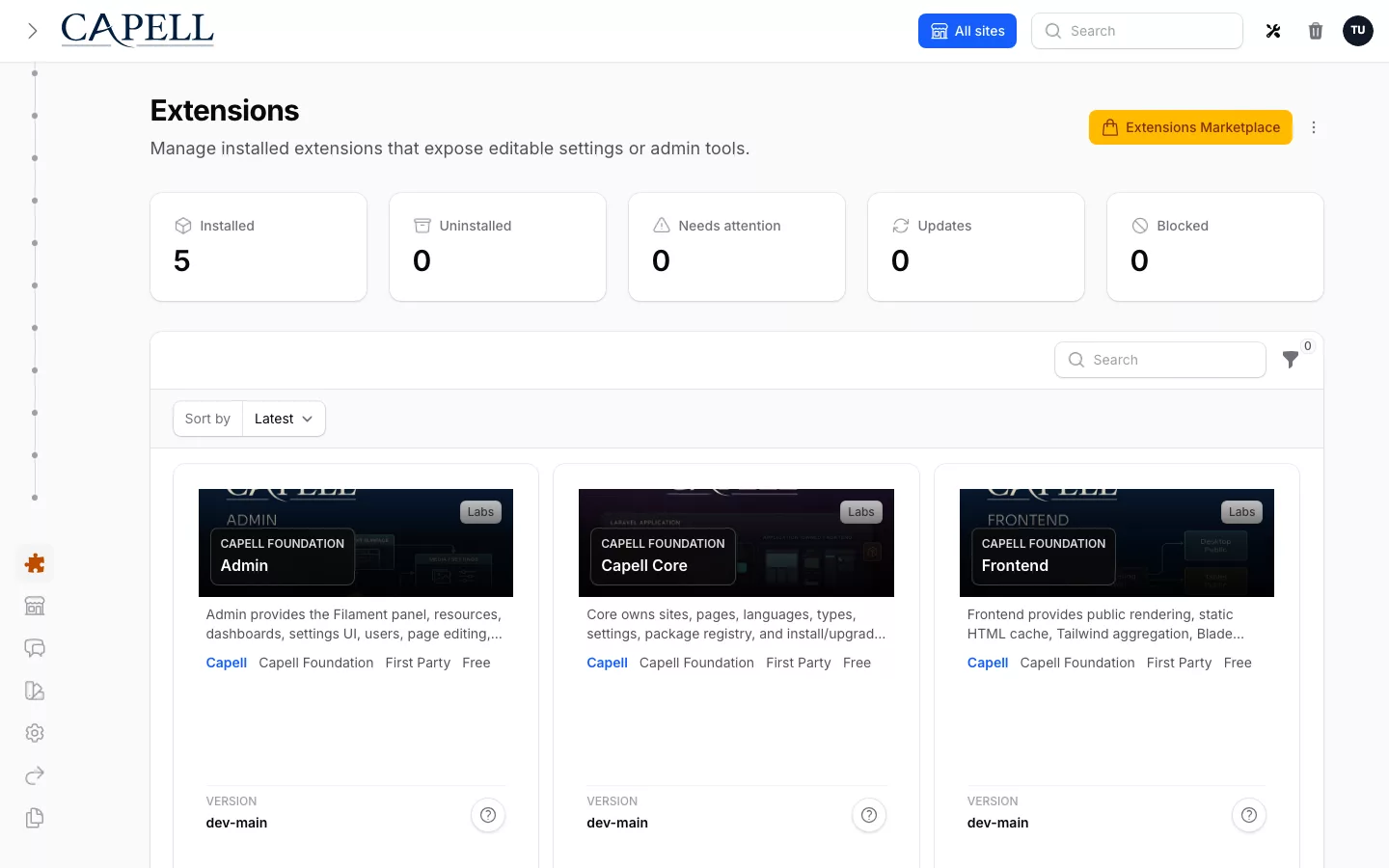
Capell installed extensions screen
Installed extensions identify the additional capabilities the application maintains.

Choose what earns its place

Connect each package to a requirement and an owner.

Begin with a concrete job: reviewers need an approval process, visitors need search or editors need a particular page composition. Identify the package that owns that job, then check its current status, licence, dependencies and configuration. A catalogue entry starts the evaluation; test the integration against your own application before committing to it.

Choose the domain and instance for the entitlement, then check the workflow with representative records in that application. Explain the ongoing maintenance responsibility and include that cost in the decision. A focused package is useful when its public behaviour and removal consequences are understandable.

Keep future choices open

Understand how an extension changes the application before depending on it.

Packages can contribute fields, widgets, routes and operational behaviour. Your team needs to know where those contributions are configured and what happens when a dependency changes. Keep project-specific business rules in the application instead of editing installed vendor files.

Review upgrades and removal alongside installation. Some packages leave content or database records behind by design; others require an explicit migration away from their features. Read the package guidance and verify the public pages that use it before changing its lifecycle.

Submit a package for review

Author applications and package submissions can be prepared now; public third-party listings and paid third-party commerce are not open.

Start with a named customer job, scaffold the package through the supported extension tooling, document install and removal impact, run the package audit, and name the people responsible for support and security. An approved author profile allows submission for review; it does not promise publication, sales, earnings, a commission rate, or a payout date.

The current public catalogue is first-party only. Third-party applications are waitlisted while publication policy, legal responsibility, tax, payouts, support, and removal operations are approved.

Extension points make a change possible; the package manifest, tests, public surface, and operational owner decide whether it is safe to adopt.

Next step

Add a package when you need it

Capell Foundation is MIT-licensed and free. Check the current extension listing and licence terms for any paid package before adding it to the project.

Role scenarios

What to inspect in Capell Core

Checks for shared content structure, extension boundaries, and change over time.

Role-based checks drawn from product capabilities and fit boundaries.

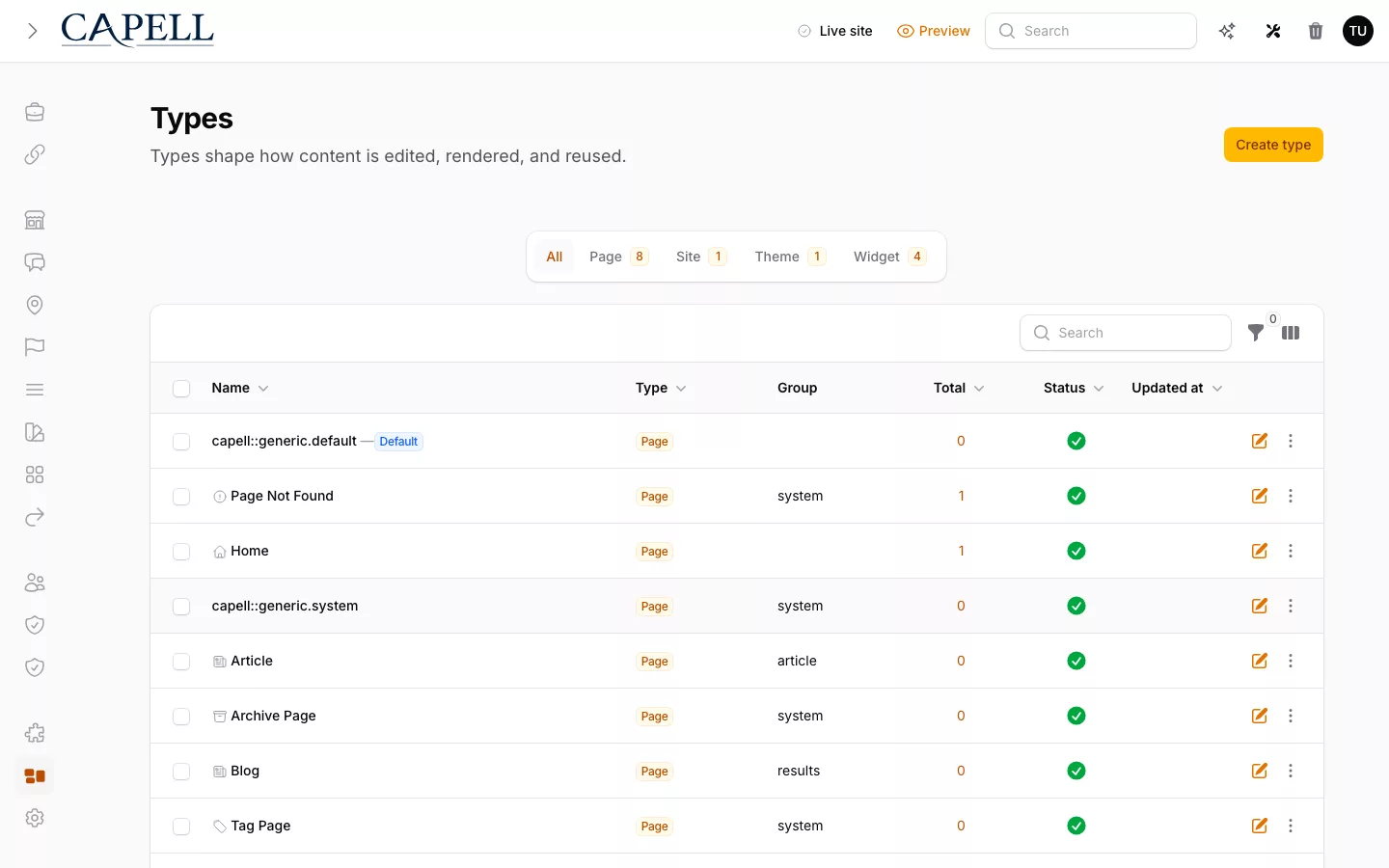
Actual Capell Types index for the developer workflow described.

An AI cannot deploy from a single call

Inspect the content schema and Agent Bridge together. A mutating agent call should return a preview and single-use confirmation token, never deploy from the first request.

Read more

Every mutating MCP Agent Bridge call uses a two-step handshake: preview plus a single-use token, followed by a destructive-confirm call carrying the same payload fingerprint. Replay is blocked and agent actions enter a secret-scrubbed audit trail; AIOrchestrator is a separate optional provider-calling capability.

Alternative fit: If a couple of stable fields are the whole job, one hand-built Filament resource is lighter. This pays off once the content structure keeps growing and machines start touching it.


Run this yourself in the demo

Laravel Technical Lead

Evaluator scenario for a Laravel technical lead

Loading footer