Capell home
Live demo

Manage cookie preferences

Choose which optional cookies Capell may use.

Essential
Always on

Required for Capell to work — login, security, page rendering.

Analytics

Anonymous usage telemetry to improve editor performance.

Marketing

Personalization for the Capell marketing site.

Cookie policy

One change. Four clear boundaries.

Core records the page change and its URL. Filament Admin gives the editor a clear workspace. Frontend prepares the visitor response. Optional packages add a bounded capability when the project earns the extra moving parts.

The map is useful because it also shows where Capell stops. Product rules, final presentation, release timing, and operational ownership remain decisions for the Laravel team.

Filament admin Composer-installed Laravel-owned frontend

Trace the Core, Admin, Frontend, and Packages boundaries through one maintainable Laravel CMS.

Watch on YouTube

A CMS becomes expensive when nobody can say where a page rule belongs. Capell uses four boundaries so a technical evaluator can trace one page change without reading the whole codebase.

Four boundaries, four jobs

  • Core owns the content model, URLs, page history, and extension points.
  • Admin gives editors a Filament workspace for approved content and recovery actions.
  • Frontend prepares and delivers the visitor response through application-owned code.
  • Packages add focused capability with an install and operational footprint the team can review.

This is more structure than a brochure site or a few editable screens need. It earns its place when page families, editor workflows, public delivery, and optional capability are expected to keep changing for years.

Trace one change before choosing the platform

Use a repeated page family as the test. Suppose the team needs to add a customer segment, an approval note, and a new presentation rule to every solution page. Start in Core: identify the page type, fields, translations, URL rules, layout relationship, and revision behaviour. The structure should describe the content once. It should not require a new database column, controller branch, or copied template for every page.

Continue in Admin. Find the Filament screen that exposes the approved fields, validation, media choices, preview, and page history. An editor should understand what can change and what remains protected. A developer should be able to trace the form back to the same content contract. If an editor needs an unrestricted visual builder to make a routine change, or a developer must edit Blade for every instance, the model has not earned its reuse.

Then inspect Frontend. Follow the published page through site, language, canonical URL, layout, widget assets, theme, public component, and cache invalidation. Capell prepares structured render data, but the Laravel project owns the finished response. Blade, Livewire, Inertia, Vue.js, or a custom stack can present it. The anonymous HTML should contain the content visitors need and none of the admin state, model identifiers, field paths, permissions, or signed editor URLs used to author it.

Finally, check Packages. A package may add a field, widget, workflow, diagnostic, route, migration, job, or integration through declared extension points. Read that effect before installation. Confirm compatibility, data ownership, commands, scheduled work, support status, upgrade path, and removal behaviour. Optional capability should remain a deliberate Laravel dependency, not a hidden patch to Core or a promise that every extension is already installed.

Test the operating path beyond the editing screen

Create a representative page, preview it, publish it, and request its canonical URL anonymously. Change shared presentation and confirm the page family improves in one place. Change content and confirm only the intended cache dependencies refresh. Restore an earlier page revision and verify that recovery appends history rather than deleting the changes that came later. If coordinated approval or cross-record releases matter, evaluate Publishing Studio separately from standard page history instead of treating them as the same capability.

Run installation, upgrade, and diagnostics in the environment the team will support. Inspect the package manifests and the application tests that protect routes, migrations, public output, and extension boundaries. Capell stays inside the Laravel application, so the team owns deployment, queues, storage, cache, monitoring, and frontend performance. There is no hosted Capell runtime or delivery API to transfer those responsibilities elsewhere.

Know when the structure is worth it

Choose this platform shape when repeated content, multiple editors, public delivery, recoverable publishing, and package-led growth are long-term product concerns. Agencies can reuse a known architecture without forcing identical websites. Product teams can keep marketing, documentation, marketplace, and operational content near the application that consumes it. Editors gain consistent screens and approved composition while developers keep the public layer testable.

Choose a smaller custom Filament implementation when the project has a few stable records, limited publishing risk, and no need for shared page types, layouts, URLs, themes, or package extension points. Choose a separate headless service when several independent frontends need one delivery API and that separation is worth another platform boundary. The useful decision is not which CMS has the longest feature list. It is which ownership model the team can explain, test, operate, and recover.

Evaluate the split against one real change request. Name the record and URL that change, the Filament screen an editor uses, the public component and cache that visitors receive, the optional package effects, and the release and recovery checks. If the team cannot point to each owner in the running application, the boundary is still a claim.

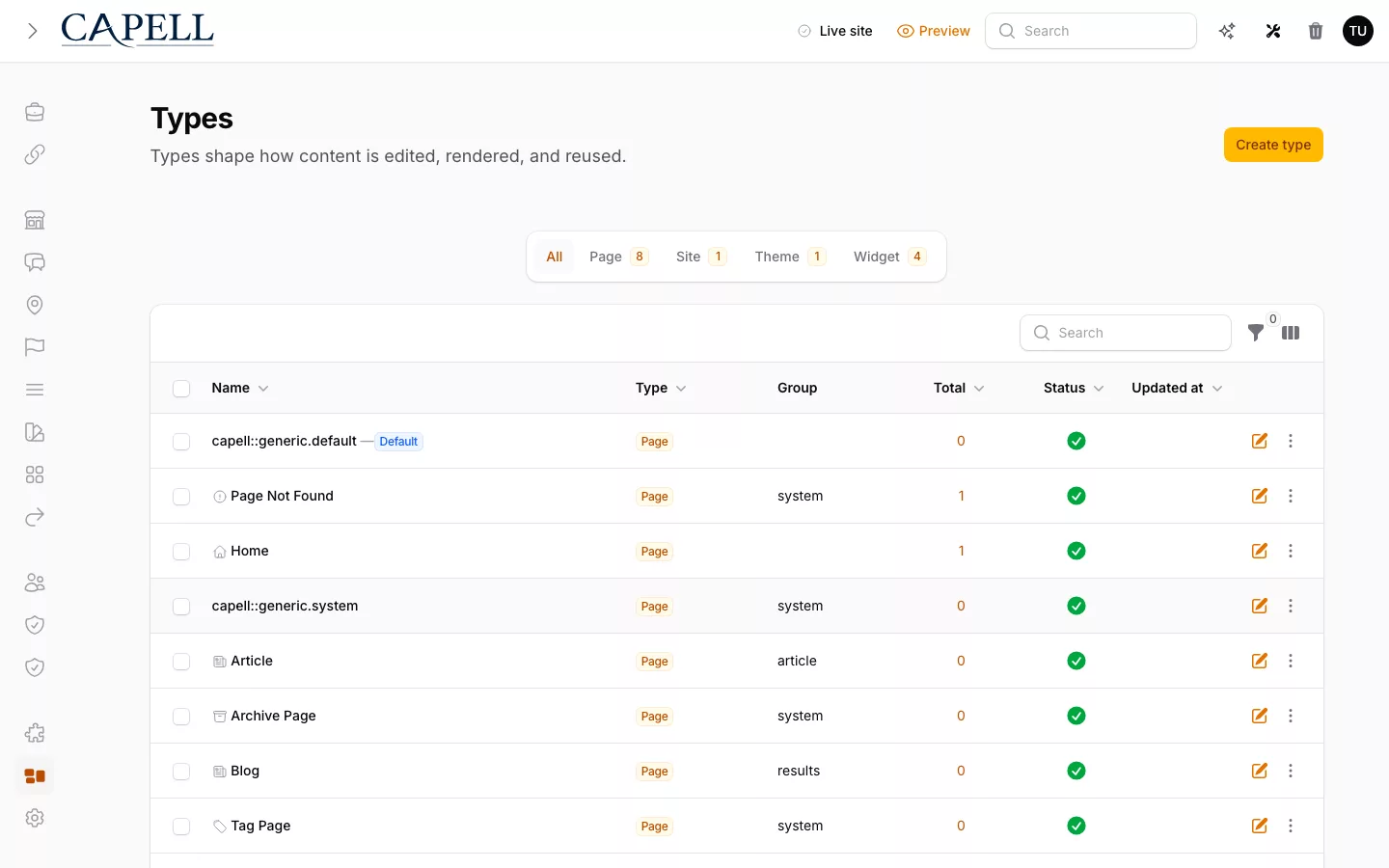
The real Capell Layout Builder admin showing permitted widgets arranged inside a page layout.

A practical production starting point

Core stores content and appends a revision after PageSaved. Admin gives editors a Filament workspace with Page History, diff preview, validated rollback, and roll-forward, while Frontend delivers the public site. Layout Builder adds controlled composition and Media Library keeps assigned assets consistent.

Publishing Studio adds isolated workspaces, assignments, comments, approvals, scheduling, atomic releases, and cross-entity recovery when Publishing Studio is installed and licensed. Check each marketplace listing for its current Stable, Beta, or Labs label before planning around it.

What is included, optional, or planned

Foundation capability ships with the standard stack. Optional capability is named only when its approved marketplace record is publicly available. Roadmap work links to its current public item.

Structured content foundation
Outcome
Own structured pages, layouts, and public rendering inside the Laravel application.
Source
Foundation
Maturity
Released
Page history and recovery
Outcome
Compare, restore, and roll forward page changes without erasing history.
Source
Foundation
Maturity
Released
Team publishing workflow
Outcome
Add isolated workspaces, review, approvals, scheduling, and atomic releases.
Source
Optional package
Maturity
Released
AI and agent delivery
Outcome
Track safe discovery, validation, preview, and controlled agent-assisted delivery.
Source
Roadmap
Maturity
Labs
Automation and integrations
Outcome
Track auditable automation that connects content operations to the wider application.
Source
Roadmap
Maturity
Labs
Experimentation and growth
Outcome
Track structured experimentation and measurement without presenting Labs work as shipped.
Source
Roadmap
Maturity
Labs
Trust, compliance, and operations
Outcome
Track operational trust and governance capability for long-lived applications.
Source
Roadmap
Maturity
Labs
Customer self-service
Outcome
Track customer-facing account capability integrated with the application the customer owns.
Source
Roadmap
Maturity
Labs

Trace one change through the four boundaries

Follow the same product page from an editor request to visitor HTML, then check which layer owns recovery, presentation, and extra workflow.

Content: change the shared record

The page type defines the fields and composition choices that every product page shares. Core owns the record, locale, URL history, publish state, and revision sequence. The change begins in one model rather than a template-specific form or a collection of unrelated resources. Before accepting the boundary, inspect how an old URL resolves, how a translated page is identified, and how the previous revision is recovered.

Delivery: render the application-owned result

Frontend prepares the published page for the Laravel route and passes visitor-ready data to the project's Blade, Livewire, Inertia, or other chosen renderer. The anonymous response must contain the intended content, metadata, media, canonical URL, and cache behaviour without editor controls, permissions, field paths, preview state, or signed authoring links. Test the real response and its source; a diagram is not delivery evidence.

Extensibility: add only the capability the page needs

A package may add validation, blocks, workflow, search, or another bounded behaviour through declared extension points. Its manifest, migrations, jobs, data access, compatibility, support, and removal path remain reviewable separately from Core. The product page should keep working when an optional package is absent, and installing a suite must not silently bulk-enable unrelated capability.

Operations: prove the change can be released and recovered

The publishing workflow owns preview, review, release effects, cache invalidation, diagnostics, and recovery checks around the same page. Verify the change in staging, confirm the canonical and redirect results, observe the anonymous response, and practise rollback before calling the path production-ready. Those checks make the four boundaries useful: each failure has an owner, and the team can improve one layer without rebuilding the other three.

Scroll horizontally to view the full table.

Change Content model Core Admin Frontend Packages Result

Follow the work, then inspect the capability

The explorer is an index, not another product pitch. Use it to move from pages, publishing, delivery, or operations to the part of the platform that owns that work.

Foundation

Pages and URLs

Language-aware pages, canonical URLs, aliases, and redirect history are CMS records.

Authoring

Layout Builder

Editors compose approved layouts, widgets, and reusable blocks without taking over the frontend.

Admin

Blueprint-driven Admin

Blueprints shape Filament forms, resources, and purpose-built editing screens.

Publishing

Publishing Workflow

Core appends page revisions. Admin owns Page History, comparison, validated rollback, and roll-forward. Publishing Studio adds coordinated releases.

Delivery

Frontend Rendering

Frontend resolves site, domain, language, page, layout, theme, runtime, assets, hooks, and cache policy.

Extensions

Package Manifests

Packages declare capabilities, schema impact, routes, widgets, commands, policies, support, and compatibility.

Operations

Multi-site and Localization

Sites, domains, languages, canonical URLs, and locale-aware output are part of the foundation.

Growth

SEO and Discovery

Metadata, structured data, sitemaps, robots, llms.txt, broken links, and search visibility can be package-owned.

Performance

HTML Cache

Static HTML cache, dependency-aware invalidation, stale regeneration, and cache safety checks serve public pages fast.

Performance

Faster same-site navigation

Anonymous marketing pages can reuse the existing shell during Livewire navigation while the destination page still renders as a normal document.

Extensions

Marketplace Trust

Reviewed extensions, compatibility signals, author paths, package metadata, and install receipts keep growth deliberate.

Authoring

Content Blocks

Reusable marketing, feature, tour, architecture, newsletter, metric, and CTA blocks keep page content structured.

Growth

Search-ready Records

Feature records are shaped as indexable documents for future Typesense or Scout search.

Feature detail

Role scenarios

What to inspect in Capell Core

Checks for shared content structure, extension boundaries, and change over time.

Role-based checks drawn from product capabilities and fit boundaries.

Laravel developer representing this editorial scenario.

An AI cannot deploy from a single call — what to verify

Inspect the content schema and Agent Bridge together. A mutating agent call should return a preview and single-use confirmation token, never deploy from the first request.

Read more

Evidence to request: Every mutating MCP Agent Bridge call uses a two-step handshake: preview plus a single-use token, followed by a destructive-confirm call carrying the same payload fingerprint. Replay is blocked and agent actions enter a secret-scrubbed audit trail; AIOrchestrator is a separate optional provider-calling capability.

Alternative fit: If a couple of stable fields are the whole job, one hand-built Filament resource is lighter. This pays off once the content structure keeps growing and machines start touching it.

Laravel Technical Lead

Evaluator scenario for a Laravel technical lead

Next step

See the platform boundary before you install it

Use the read-only demo to follow content from the editor workspace to the public page and decide whether the split suits your team.

See the platform boundary in the demo: find the page structure, check Page History, open the public result, and note which capability comes from a package.

Loading footer