
This is your code. That is their edit screen.
The boundary is the point. Developers keep templates, routes, Actions, render hooks, tests, and deployments in the Laravel project. Editors get page records, approved widgets, previews, media, URLs, and publishing flow without asking for every text change. Owners and agencies get a cleaner handoff because both sides know what they own.
Watch the code and editor boundary
This overview explains how Capell lets editors work daily without exposing templates, CSS, field paths, or authoring state to visitors.
What each side keeps
Developers keep the frontend
Blade, Livewire, Inertia, Vue.js, custom renderers, tests, cache strategy, and deployment stay in the Laravel app.
Developer pathEditors get real publishing tools
Pages, URLs, media, previews, reusable widgets, and workflow sit in Filament instead of scattered request tickets or one-off client edits.
Editor pathNeither side has to take over
Structured fields, approved widgets, and public rendering checks reduce drift without pretending software has no edge cases.
Review trustAlign the CMS boundary before installing.
If the boundary makes sense, the install guide shows how to add Capell and verify the admin and public delivery paths. If the team is still aligning roles, compare the editor and developer paths first.
Walk the boundary before choosing a CMS
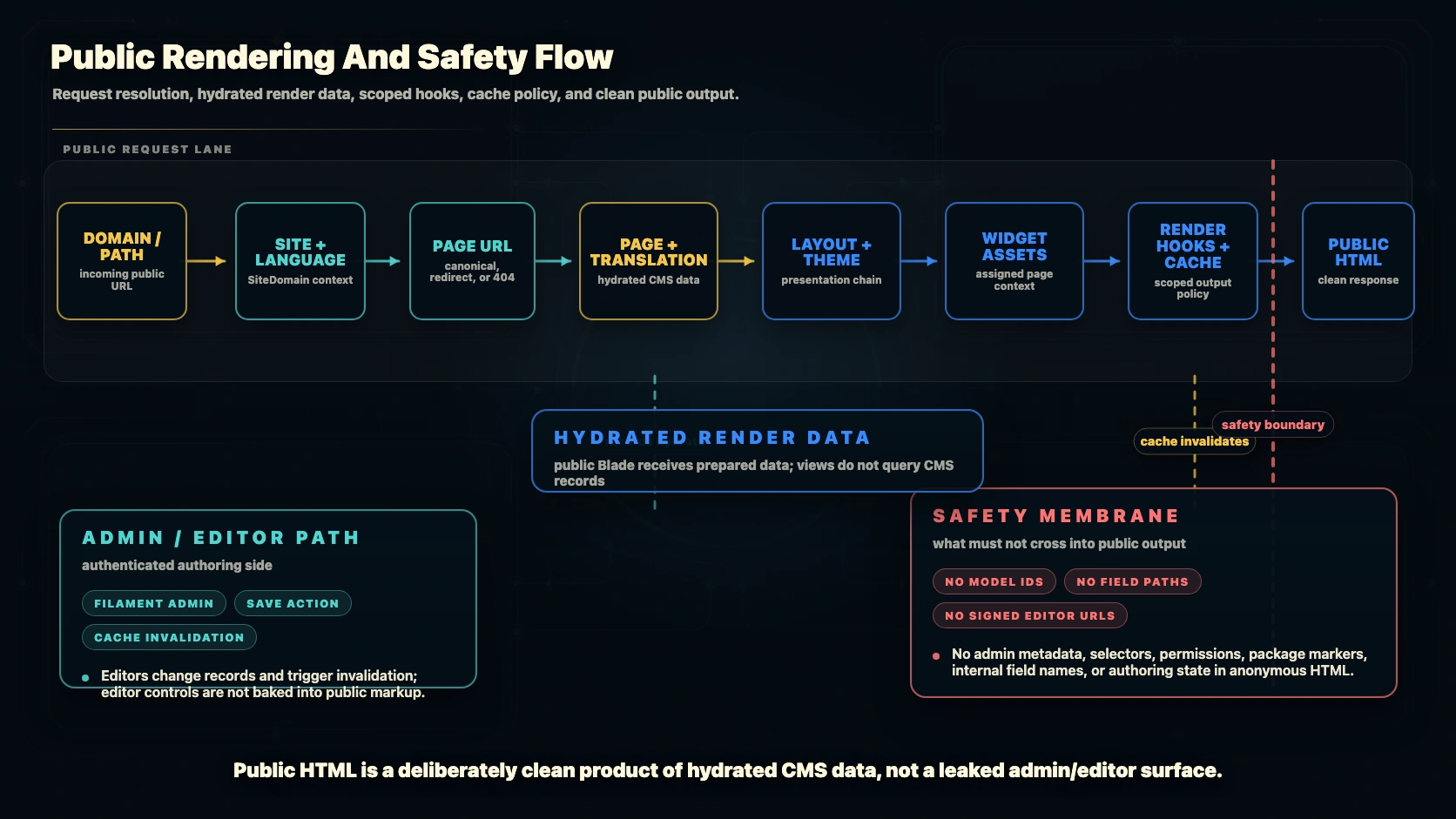
Version-controlled templates, structured CMS records, and visitor-safe public rendering.
Template under version control
Layout, components, validation, render hooks, tests, and package wiring stay in the Laravel project where they can be reviewed.
Published page on the public site
Capell resolves the page and prepares render data. Your frontend decides how the page appears, caches, and behaves.
Editor view for daily changes
Editors work with approved fields, widgets, media, preview, URLs, and publishing workflow instead of touching templates.